

Quick Start
Install
curl -fsSL https://roborev.io/install.sh | bashpowershell -ExecutionPolicy ByPass -c "irm https://roborev.io/install.ps1 | iex"go install github.com/roborev-dev/roborev/cmd/roborev@latestEnsure $GOPATH/bin is in your PATH.
Set Up Your Repo
cd your-reporoborev initThis installs a post-commit hook and starts the roborev daemon. From now on, every commit in this repo is automatically reviewed by an AI agent in the background.
Open the TUI
After a few commits, open the terminal UI to see your reviews:
roborev tui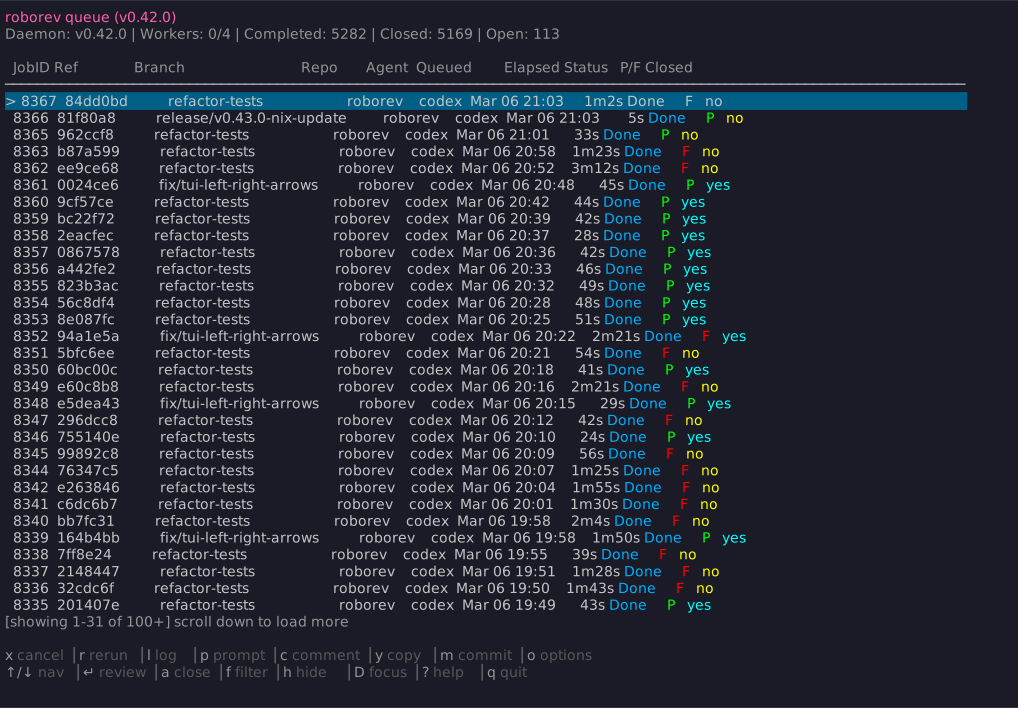
The review queue is a ledger of every review roborev has run. Each entry stays open until you explicitly close it, so you always know which agent-generated code has been reviewed and which findings still need attention.
Press Enter on any job to read the full review. Use j/k or
arrow keys to navigate. Press ? for all available shortcuts.
Working with Reviews
Copy and paste into your agent
The fastest way to act on a review is to copy it and paste it into
your coding agent session. Press y on any completed review to copy
its content to your clipboard.
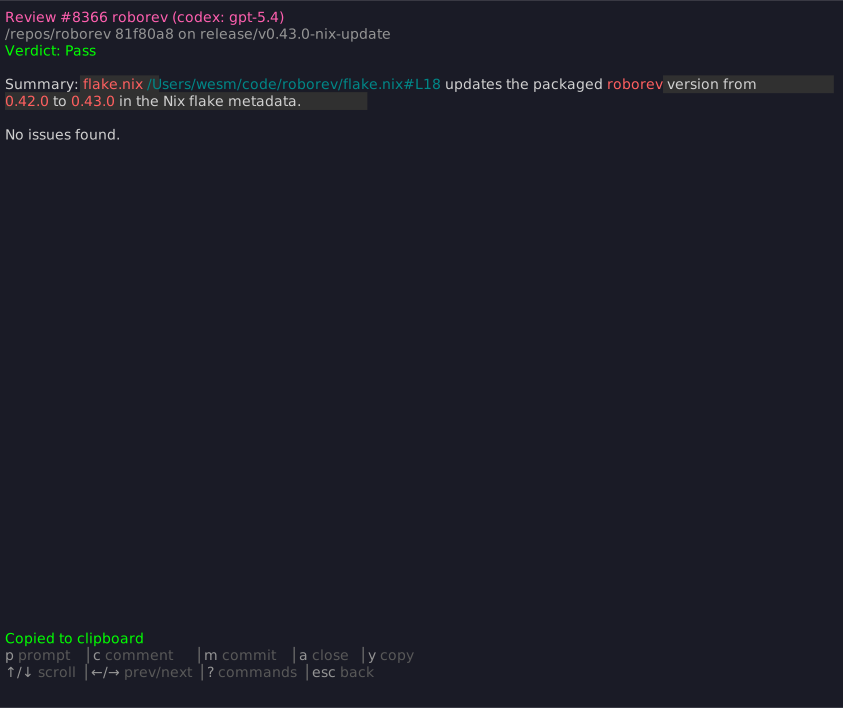
Paste the review into Claude Code, Codex, or whichever agent you’re
working with. The agent sees the full findings and can address them
directly. Once you’ve handled the feedback, press a in the TUI to
mark the review as closed.
Use the /roborev-fix skill
If you use Claude Code or Codex, install the roborev agent skills:
roborev skills installThen from your agent session, run the fix skill to discover and address all open review findings in one pass:
/roborev-fix # Claude Code$roborev-fix # CodexThe agent fetches your open reviews, groups findings by file, fixes them in priority order, runs tests, and offers to commit. See Agent Skills for the full skill reference.
Use roborev fix from the CLI
For a headless fix without an interactive agent session:
roborev fix # Fix all open reviews on this branchroborev fix 123 # Fix a specific review by job IDThe agent applies changes, commits, and closes the review. For a
fully automated loop that re-reviews and iterates until everything
passes, use roborev refine. See
Auto-Fix with Refine.
Next Steps
- Terminal UI — Full TUI reference and shortcuts
- Agent Skills — Review and fix from your agent session
- Commands — CLI command reference
- Configuration — Customize agents, models, and behavior