

Claude Chic
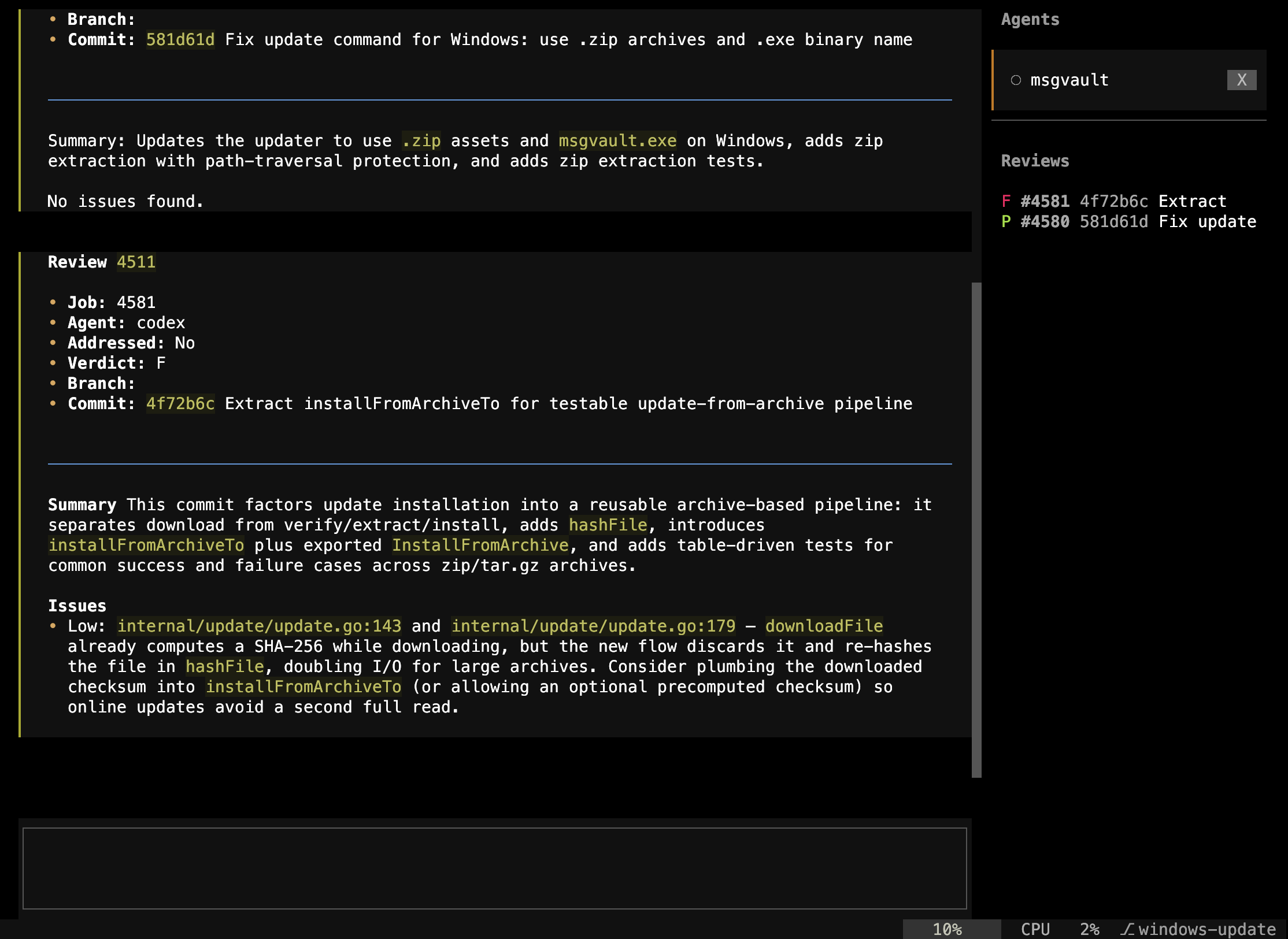
Claude Chic is an alternative terminal UI for Claude Code based on the Textual Terminal UI framework using the Claude Agent SDK. Its roborev integration adds a live review sidebar, verdict icons, and one-command fix workflows, so you never have to leave your coding session to check review status.
Installation
uv tool install claudechic # recommendedpip install claudechic # alternativePrerequisites: Both roborev and claude (Claude Code) must be on your PATH. To use the /roborev-fix skill, install roborev’s agent skills first:
roborev skills installReview Sidebar
When a roborev daemon is running, Claude Chic displays a live sidebar panel alongside your coding session:
- Shows open reviews with verdict icons (green P for pass, red F for fail)
- Animated spinners for in-progress reviews
- Auto-polls every 5 seconds for new results
- Click a review to view its detail inline
The sidebar appears automatically when roborev reviews are detected and stays in sync as you work.
Claude Chic supports multiple git worktrees. Switching worktrees or branches filters the sidebar to show only reviews for that worktree or branch.
Commands
| Command | Description |
|---|---|
/reviews | List all recent reviews with verdicts and closed/open status |
/reviews <job_id> | Show full detail for a specific review |
/reviewer [context] | Start a new roborev review with optional context |
These commands are available in the Claude Chic command palette alongside standard Claude Code commands.
Workflow Example
A typical review-fix cycle inside Claude Chic:
- Make changes to your code as usual in the Claude Chic session
- roborev reviews your commits in the background
- The sidebar updates: a red F appears for job
#1019 - Run
/reviews 1019to read the full review inline - Run
/roborev-fixto batch-fix all open findings - The sidebar auto-updates: the verdict flips to a green P
The entire loop happens without switching windows or terminals.
See Also
- Agent Skills: Skills available to coding agents including roborev skills
- Responding to Reviews: How to address and comment on review findings
- Auto-Fix with Refine: Automated fix loops using
roborev fix